Fjord Player
Free IPTV player for Apple TV, iPhone and iPad.
Bring your own M3U playlist or Xtream Codes account. Fjord turns your live TV, films and series into a library that feels at home on the big screen and goes with you.
No ads. No subscriptions. No in-app purchases.
Apple TV, iPhone and iPad. Bring your own playlist.

Get started
Bring your own source. Fjord does the rest.
Install the free app, add the playlist or account you already have, then browse what your source provides.
Install Fjord
Get Fjord IPTV Player from the App Store on your Apple TV, iPhone or iPad.
Add your source
Enter your M3U playlist URL or Xtream Codes details. On iPhone and iPad, open My Fjord, then Settings and Playlists.
Start watching
Live channels, films and series appear when your source supplies them. Fjord does not include content.
Setting up an Apple TV? Follow the M3U guide or Xtream Codes guide. You can also compare Apple TV players.
Built for the remote, not ported to it.
Everything here is designed for a person sitting ten feet away holding an Apple TV remote.
Live TV and the guide
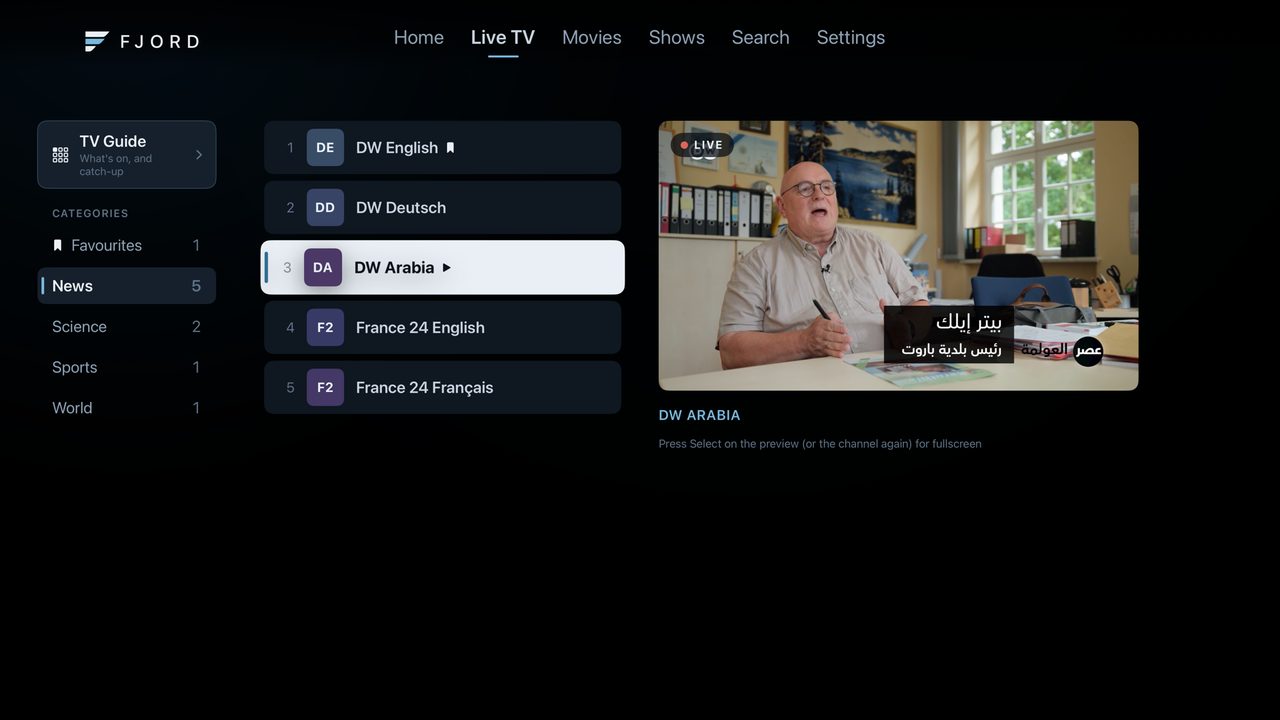
Zap through channels with a live preview beside the list. A full guide lays out the schedule hour by hour, and on channels that carry it you can start a programme again or go back to something already aired.
Films and series
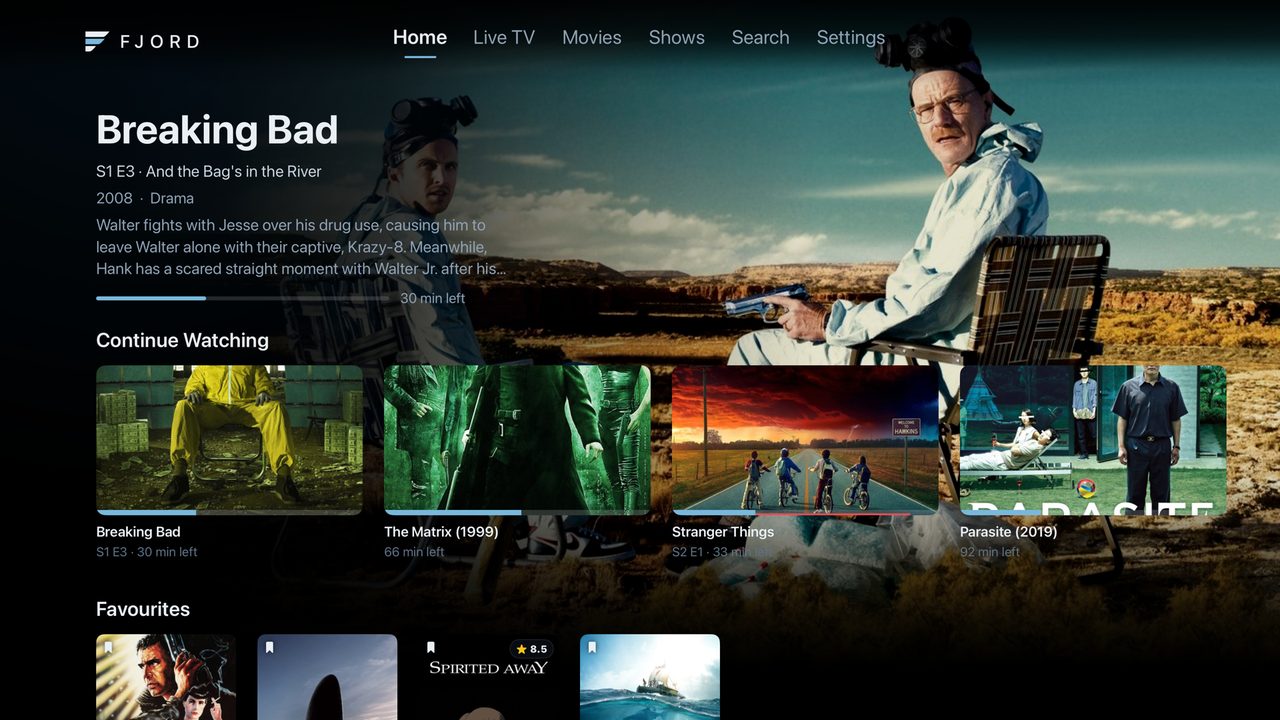
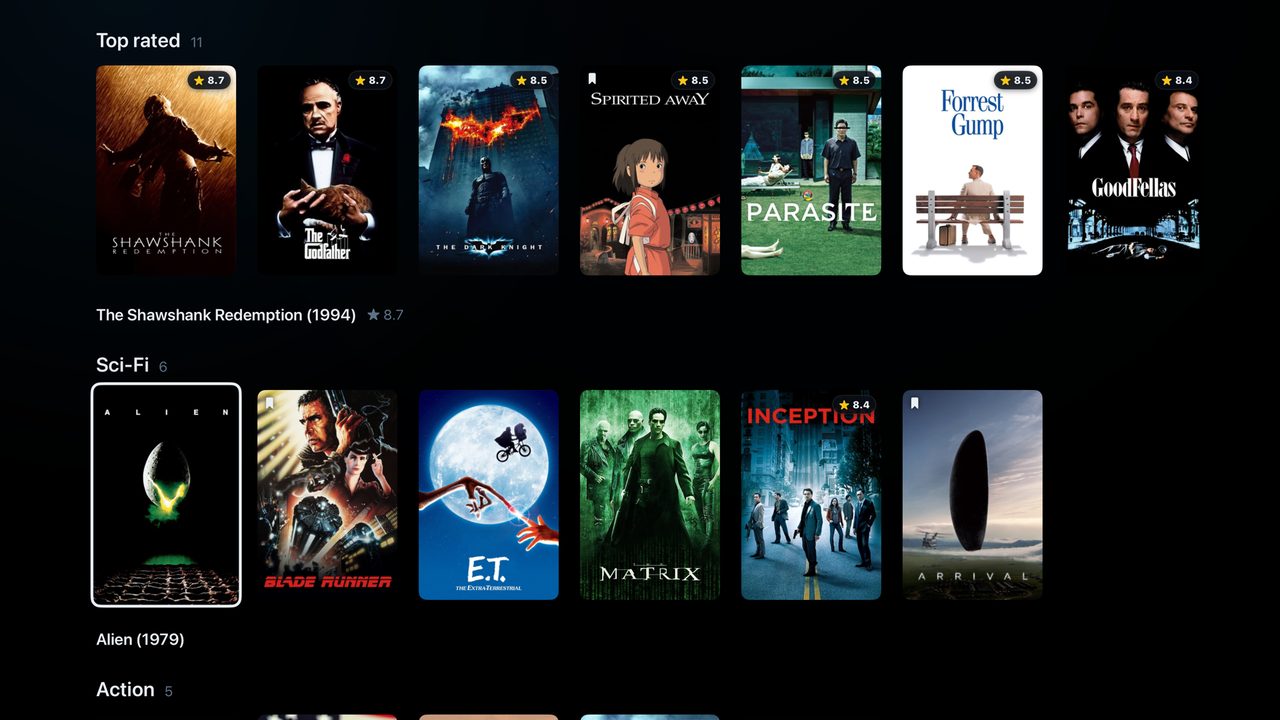
Artwork, synopsis, rating, cast and crew, and what to watch next. Series are organised into seasons with episode stills and summaries.
Continue watching
Stop halfway through a film or three episodes into a season and Fjord takes you straight back, on whichever profile you were using.
Skip and auto play
Skip an intro with one press. The next episode starts on its own when the credits roll, so a season runs without you reaching for the remote.
Subtitles and audio
Pick tracks, set how subtitles look, and let Fjord remember your language for films and series separately.
Profiles and a parental PIN
Separate profiles keep everyone's favourites and progress apart. A PIN can lock a profile or the settings, and categories labelled adult are filtered out by default.
iPhone & iPad
Your library travels with you.
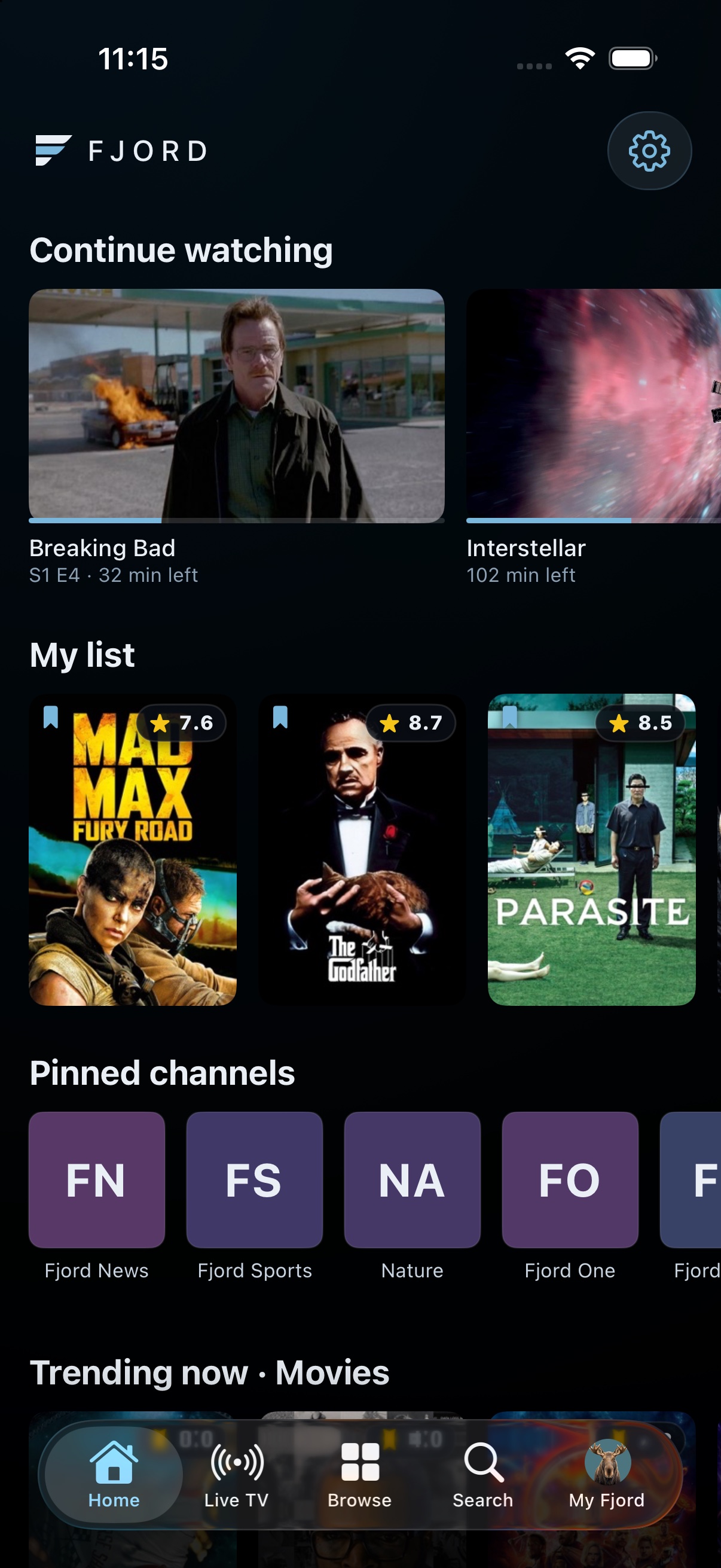
Browse live TV, films and series with the same Fjord look on a touchscreen. Continue watching across your Apple devices when iCloud sync is on.
Watch on your terms
Picture in Picture keeps a supported stream playing while you use another app. AirPlay is available when the stream permits it.
Save for later
Download compatible films and episodes for offline viewing when your source allows downloads. Saved video stays on that device.
Manage mobile data
Choose whether to stream or download over mobile data. Downloads use Wi-Fi by default.
Plays what your source actually sends.
Fjord handles formats such as MKV, HEVC, HLS and MPEG-TS when your source and device support them. On Apple TV, its mpv engine can match the television's refresh rate and dynamic range to the video, so 50fps broadcasts and HDR films look as they should.
Support
Something not playing right? Write to us and we will take a look.
Get in touch
Email us and include the details below. They turn a report we cannot reproduce into one we can usually fix.
- The app version and build, shown in
Settings > About - What you were doing when it happened, for example "opened a show page" or "paused live TV"
- Whether your playlist is M3U or Xtream. Never send us your playlist URL or your password, because we do not need them and cannot use them.
Before you write
If one title will not play but others do, the stream itself is usually the cause rather than the app. Try the same title from a different source if you have one.
If nothing loads at all, check the playlist under
Settings > Playlists. An expired subscription and
a mistyped address look identical from inside the app.
Common questions
Is Fjord a completely free IPTV player?
What should I look for in the best IPTV player for Apple TV?
Where do the channels come from?
Is my playlist or password sent anywhere?
Why does artwork appear for my films and shows?
Which video formats are supported?
Can I use it across my Apple devices?
Make yourself at home, wherever you watch.
Your channels, films and series on Apple TV, iPhone and iPad.
Get Fjord free on the App Store